Automation Cable vs Control Cable: Key Differences
Posted by Raj Bhosale
Filed in Business 34 views
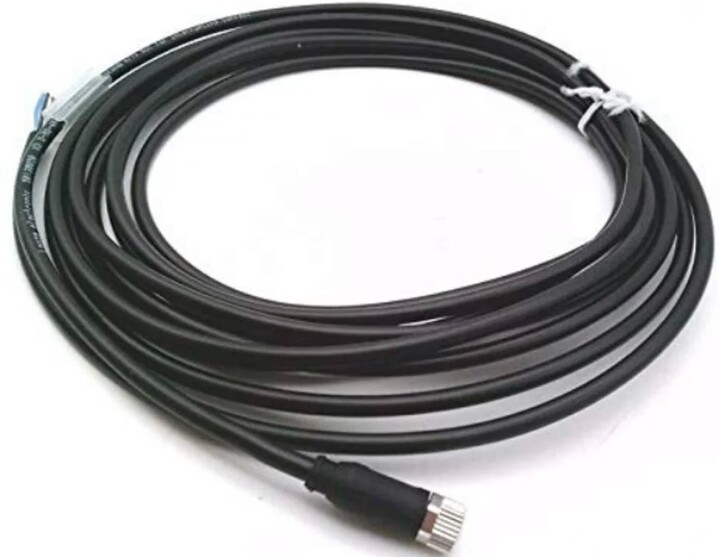
Industrial machinery problems usually begin at the connection. Inside electrical panels, automated production lines, and distributed control systems, cabling carries every instruction the equipment acts on. Specifiers often treat Automation Cable and Control Cable as interchangeable because their functions overlap in practice. The two aren't identical in construction. The Automation Cable vs Control Cable question resolves differently depending on signal type, movement, and the mechanical stresses the run must survive.
What Is an Automation Cable?
An Automation Cable is a cable built for automated systems, carrying power, control signals, sensor signals, or data depending on how it is constructed. It links the devices, making an automated cell function: programmable logic controllers (PLCs), sensors, actuators, drives, motors, and robotic equipment. Construction varies across the category. Some versions use fine-stranded conductors and specialised coatings to allow continuous movement inside drag chains. Others hold a defined impedance and shielding profile so they can run industrial communication protocols between automation devices.
What Is a Control Cable?
A Control Cable transmits control signals between electrical equipment, control panels, and machinery. Switching, monitoring, interlocking, and operating industrial equipment all depend on it. Construction follows a recognisable pattern: multiple insulated conductors laid up around a common axis, sheathed together, and shielding added where the installation requires it. Screened versions suit runs near variable frequency drives. Unscreened versions work in cleaner electrical environments. A Control Cable can be included in an automation system without being designed for data networks or continuous flexing.
Automation Cable vs Control Cable: Key Differences
The automation cable vs. control cable distinction involves four areas: what the cable carries, how far it moves, how it handles interference, and the construction behind it.
|
Parameter |
Automation Cable |
Control Cable |
|
Primary function |
Power, control, sensor, or data transmission inside automated systems |
Control signal transmission between panels, equipment, and machinery |
|
Signals carried |
Analogue, digital, network data, and power |
Low-voltage control and switching signals |
|
Flexibility |
Fine-stranded; continuous-flex versions rated for drag chain duty |
Suited to fixed installation in most cases |
|
Shielding |
Frequently screened to protect signal integrity |
Screened or unscreened, depending on environment |
|
Conductor arrangement |
Varies by protocol; often twisted pairs or hybrid power and signal |
Multi-core, commonly 2 to 61 cores |
|
Movement tolerance |
Rated for repeated bending and torsion in motion applications |
Limited; occasional flexing during installation only |
|
Typical environment |
Robotic cells, production lines, motion-control axes |
Control panels, machine wiring, process installations |
|
Network capability |
Supported in protocol-specific designs |
Not intended for data networks |
Applications of Automation Cables
Automated plants use these cables anywhere a device must send or receive instructions. Four application groups reflect the most installed volume across discrete and process manufacturing.
-
Industrial robotics: Robotic arms subject cabling to torsion and repeated bending at every joint. Automation cables link the arm, its controller, and end-of-arm tooling through millions of cycles.
-
Automated production lines: Sensors report position and presence; PLCs process that input; actuators and conveyor drives respond. The cabling between these nodes determines how reliably the sequence executes.
-
Motion-control systems: Servo drives need cables rated for high acceleration and continuous travel. Shielded motor and feedback cables keep encoder signals clean while the axis moves.
-
Industrial communication: Protocol-specific designs hold a controlled impedance and defined pair geometry. That construction allows Fieldbus and industrial Ethernet networks exchange data between automation devices without packet loss.
Applications of Control Cables
Control cables appear wherever industrial equipment needs switching, interlocking, or continuous supervision. Their use spans panel building, machine manufacture, fixed plant installations, and building services.
-
Electrical control panels: Inside a panel, these cables tie switches, relays, contactors, and timers into a working circuit. Core count and conductor size follow the schematic rather than the enclosure dimensions.
-
Industrial machinery: Machine builders run control cables out to limit switches, solenoids, and operator stations. The same runs carry status feedback to the controller.
-
Motor control circuits: Start, stop, and reversal commands travel from the control gear to contactors and overload relays. Screened construction prevents drive-generated interference from corrupting those signals.
-
Building and process systems: HVAC plant, pumping stations, and fire detection installations rely on control cabling for monitoring and switching. Runs here are long, fixed, and rarely disturbed.
How to Choose Between Automation Cable and Control Cable
Specification starts with the signal, not the price list. Six checks settle the Automation Cable vs Control Cable decision at the specification stage.
-
Signal type: Establish whether the circuit carries power, control signals, or data communication. A data-capable run rules out general-purpose control cable immediately.
-
Electrical compatibility: Confirm conductor cross-section, core count, and voltage rating against the equipment schedule.
-
Shielding: Decide whether screening is needed to manage electromagnetic interference, particularly on routes parallel to drive cabling.
-
Mechanical duty: Check minimum bending radius, expected cycle count, vibration exposure, and torsional load along the installed route.
-
Environment: Assess exposure to heat, oil, moisture, and chemicals before selecting a sheath compound.
-
Standards: Verify that the applicable standards, the equipment manufacturer's requirements, and the published cable specification agree.
Conclusion
Automation cables cover a broader functional range: power, sensor signals, motion feedback, and network data, often under continuous mechanical load. Control cables concentrate on switching and monitoring circuits in fixed installations. The correct specification follows from the equipment, the signal, the installation conditions, and the published cable data.